 | Text provided under a Creative Commons Attribution license, CC-BY. All code is made available under the FSF-approved MIT license. (c) Kyle T. Mandli |
from __future__ import absolute_import, print_function

%matplotlib inline
import matplotlib.pyplot as plt
import numpyInterpolation
Interpolation is a fundamental numerical problem that is central to many other numerical algorithms. Simply put, given a finite number of points where values are known, find an interpolant, a (usually) continuous function that returns values everywhere and is guaranteed to pass through the known data.
Objectives:
Define an interpolant
Understand Polynomial Interpolation and Approximation
Define the interpolating polynomial that exactly interpolates points
Calculation (in the monomial basis)
Uniqueness
Other bases (Lagrange, Newton?)
Error Analysis
Chebyshev Polynomials and optimal interpolation
Understand Other interpolants
Piecewise Polynomial interpolation
Overlapping Polynomial interpolation
Cubic Splines and other smooth interpolants
Higher dimensional Interpolation schemes and scipy.interpolate
Interpolation (vs Fitting)
Definition: Given a discrete set of values at locations , an interpolant is a (piece-wise) continuous function that passes exactly through the data (i.e. ).
A visual example for 3 random points
from scipy.interpolate import make_interp_spline, pchip_interpolate

N = 3
x = [1, 2.3, 4.8]
y = [1.0, 0.5, 5.0]
p2 = numpy.polyfit(x, y, 2)
p1 = numpy.polyfit(x, y, 1)

b_spline = make_interp_spline(x, y, bc_type="natural")

xa = numpy.linspace(0.0, 5)
xs = numpy.linspace(x[0], x[-1])

fig = plt.figure(figsize=(8, 6))
axes = fig.add_subplot(1, 1, 1)
axes.plot(x, y, "ro", markersize=10, label="data")
axes.plot(xa, numpy.polyval(p2, xa), label="quadratic interpolant")
axes.plot(x, y, "g", label="Piecewise linear interpolant")
axes.plot(xs, pchip_interpolate(x, y, xs), "k", label="Piecewise cubic interpolant")
axes.plot(xs, b_spline(xs), "c", label="B-spline")


axes.plot(xa, numpy.polyval(p1, xa), label="best fit line")
axes.legend(loc="best")
axes.set_xlim(min(x) - 0.5, max(x) + 0.5)
axes.set_xlabel("x", fontsize=16)
axes.set_ylabel("f(x)", fontsize=16)

axes.grid()
plt.show()Comment: In general a polynomial of degree can be used to interpolate data points. There are many choices of functions to use to interpolate values, but here we focus on polynomials.
Applications
Data filling
Function approximation
Fundamental component of other algorithms
Root finding (secant method)
Optimization, minima/maxima (successive parabolic interpolation)
Numerical integration and differentiation
The Finite Element Method
Polynomial Interpolation
Theorem: There is a unique polynomial of degree , , that passes exactly through values at distinct points .
Consequence of the number of unknowns in .
Example 1: 2 Points
Given two points and , There is a unique line
that connects them. We simply need to use the data to find and :
We first note that we have two equations and two unknowns. The two equations can be found by assuming the function interpolates the two data points
We can also (and should) write this problem as a small linear algebra problem
Question: What are the unknowns, and where does the data sit in and ?
With a bit of algebra you should be able to show that the solution of this problem is
and
which is just the equation of the straight line with slope , that connects the two points.
Which reduces to the linear system
A more general approach to solving the system will be explored later, but first it is important to determine whether or not the system even has a solution.
Preliminaries: Monomial Basis
We can think of as a polynomial, or more fundamentally as a linear combination of a set of simpler functions, the monomials
with weights
respectively.
Linear independence of the Monomials
The monomials, form a linearly independent set of functions such that no monomial can be written as a linear combination of any other monomial. We can see this graphically, for the first few monomials
x = numpy.linspace(-1, 1, 100)
fig = plt.figure(figsize=(8, 6))
axes = fig.add_subplot(1, 1, 1)
for n in range(4):
    axes.plot(x, x**n, label="$x^{}$".format(n))
axes.set_xlabel("x")
axes.grid()
axes.legend(loc="best")
axes.set_title("The First 4 Monomials")
plt.show()
But more fundamentally. A set of functions is linearly independent if the only linear combination that add to form the zero function, e.g.
is if all the coefficients ,
Theorem: The monomials are linear independent.
Proof: consider for all . Since the polynomials (and monomials) are differentiable at least times, differentiate times to yield
which implies .
Using this result and differentiating times shows , which by induction gives all .
Put another way, the only th degree polynomial that is zero everywhere is if all coefficients are zero.
The Fundamental theorem of algebra
Every th degree polynomial has exactly complex roots, i.e.
for . Therefore, a non-trivial th order polynomial can only be zero at at most points.
Assume there exists another polynomial
that passes through the same set of points such that . Now compute :
Now, by construction, which implies that it is equal to zero at points. However,
is a th order polynomial which has at most real roots. The only way to reconcile this is if , for all , and therefore individually and therefore .
Example 3: Monomial Basis
Consider with the four data points . We have four equations and four unknowns as expected:
Lets rewrite these as a matrix equation: First define the following vectors
When we write the system in matrix/vector form the matrix that arises is called a Vandermonde matrix:
Note: the columns of are simply the monomial functions sampled at the discrete points . i.e .
Because the monomials are linearly independent, so are the columns of
What happens if we have redundant data? Either is repeated or for one we have two values of .
What if we have more points then the order of polynomial we want?
How does this relate to solving the above linear system of equations?
Vandermonde matrices in general are defined as
where is a matrix with points for and for an order polynomial .
Finding 
Finding the coefficients of can be done by solving the system outlined above. There are functions in numpy that can do this for us such as:
numpy.polyfit(x, y, x.shape[0] - 1)numpy.vander(x, N=None)to construct the matrix and use a linear solver routine.
We can also use a different basis that might be easier to use.
Basis
Def: A basis for a dimensional vector space is a set of linearly independent vectors that span the space.
The monomials, , form the usual basis for the vector space of th degree polynomials .
Example is the space of all quadratic functions. i.e.
i.e for every vector , there is a unique quadratic function in . (we say is isomorphic to and is a three dimensional function space).
However, the monomials are not the only basis for
Lagrange Basis
Given points again assuming the are all unique, the interpolating polynomial can also be written as
where
are the Lagrange Polynomials
A Key property of the Lagrange polynomials is that
which is why the weights in are simply the values of the interpolant
Visualizing the Lagrange Polynomials
# ====================================================
# Compute the Lagrange basis (\ell_i(x))
def lagrange_basis(x, data):
    """Compute Lagrange basis at x given N data points

    params:
    -------
        x: ndarray
            1-d Array of floats
        data: ndarray of shape (N,2)
            2-d Array of data where each row is [ x_i, y_i ]
    returns:
    --------
        basis: ndarray of shape (N, x.shape)
            : 2-D array of lagrange basis functions evaluated at x

    """
    basis = numpy.ones((data.shape[0], x.shape[0]))
    for i in range(data.shape[0]):
        for j in range(data.shape[0]):
            if i != j:
                basis[i, :] *= (x - data[j, 0]) / (data[i, 0] - data[j, 0])
    return basis
# ====================================================
# Calculate full polynomial
def poly_interpolant(x, data):
"""Compute polynomial interpolant of (x,y) using Lagrange basis"""
P = numpy.zeros(x.shape[0])
basis = lagrange_basis(x, data)
for n in range(data.shape[0]):
P += basis[n, :] * data[n, 1]
return P
# ====================================================# x_data = numpy.array([0., 1.])
x_data = numpy.array([0.0, 1.0, 2.0])
# x_data = numpy.array([0., 1., 2., 3.])
y_data = numpy.ones(x_data.shape)
data = numpy.array([x_data, y_data]).T
x = numpy.linspace(x_data.min(), x_data.max(), 100)
basis = lagrange_basis(x, data)# ====================================================
# Plot individual basis functions
fig = plt.figure(figsize=(8, 6))
axes = fig.add_subplot(1, 1, 1)
basis = lagrange_basis(x, data)
for i in range(len(x_data)):
axes.plot(x, basis[i, :], label="$\ell_{%s}(x)$" % i)
axes.plot(x_data, numpy.zeros(x_data.shape), "ko")
axes.plot(x_data, y_data, "k+", markersize=10)
axes.set_title("Lagrange Basis $\ell_i(x)$")
axes.set_xlabel("x")
axes.set_ylabel("$\ell_i(x)$")
axes.grid()
axes.legend(loc="best")
plt.show()Solving for the coefficients of 
In general, if
where is any basis function for (i.e. monomial, Lagrange, and there are many more). Then finding the unique set of weights for the interpolating polynomial through distinct data points , just reduces to solving linear equations .
For the monomial basis this reduces to the linear system
What is the matrix , for the Lagrange Basis? What are the weights ?
A little pen-and-paper work here can be instructive
Linear Independence of the Lagrange Polynomials
Because the weights of each basis function in the Lagrange basis is just the value at the interpolation points, it is straightforward to show that the Lagrange polynomials are linearly independent. I.e. the statement
is equivalent to interpolating the zero function, where all the
Example : 1st order general Lagrange Polynomial as linear interpolant
Given 2 points and the Lagrange form of is given by
and
and the 1st order interpolating Polynomial is simply
The behavior of becomes clearer if we note that on the interval that
is simply the fractional distance across the interval.
Then the interpolating polynomial is simply $$
$$
for which is just the linear line segment that connects points and
As a specific example we will plot , and for the interval and ,
x0, y0 = (1.0, 2)
x1, y1 = (3.0, 3.0)
ell0 = lambda x: (x - x1) / (x0 - x1)
ell1 = lambda x: (x - x0) / (x1 - x0)
P1 = lambda x: y0 * ell0(x) + y1 * ell1(x)
x = numpy.linspace(x0, x1)
fig = plt.figure(figsize=(8, 6))
axes = fig.add_subplot(1, 1, 1)
axes.plot(x, ell0(x), "r", label="$\ell_0$")
axes.plot(x, ell1(x), "b", label="$\ell_1$")
axes.plot(x, P1(x), "g", label="$P_1(x)$")
axes.plot((x0, x1), (y0, y1), "go")
axes.set_xlabel("x")
axes.grid()
axes.legend(loc="best", fontsize=16)
plt.show()Example: Interpolate six points from 
Use six evenly spaced points to approximate on the interval . What is the behavior as ? Also plot the absolute error between and the interpolant .
num_points = 6# num_points = 5
# num_points = 6
# num_points = 20
data = numpy.empty((num_points, 2))
data[:, 0] = numpy.linspace(-1, 1, num_points)
data[:, 1] = numpy.sin(2.0 * numpy.pi * data[:, 0])
N = data.shape[0] - 1 # Degree of polynomial
M = data.shape[0]
x = numpy.linspace(-1.0, 1.0, 100)
px = poly_interpolant(x, data)
f = numpy.sin(2.0 * numpy.pi * x)
err = numpy.abs(f - px)
# ====================================================
# Plot individual basis functions
fig = plt.figure(figsize=(16, 6))
axes = fig.add_subplot(1, 2, 1)
basis = lagrange_basis(x, data)
for i in range(N + 1):
axes.plot(x, basis[i, :], label="$\ell_{%s}(x)$" % i)
axes.set_title("Lagrange Basis $\ell_i(x)$", fontsize=16)
axes.set_xlabel("x")
axes.set_ylabel("$\ell_i(x)$")
axes.legend(loc="best", fontsize=14)
axes.grid()
# Plot full polynomial P_N(x)
axes = fig.add_subplot(1, 2, 2)
axes.plot(x, px, label="$P_{%s}(x)$" % N)
axes.plot(x, numpy.sin(2.0 * numpy.pi * x), "r--", label="True $f(x)$")
axes.plot(x, err, "k", linestyle="dotted", label="abs error")
for point in data:
axes.plot(point[0], point[1], "ko")
axes.set_title("$P_N(x)$", fontsize=16)
axes.set_xlabel("x")
axes.set_ylabel("$P_N(x)$")
axes.legend(loc="best", fontsize=14)
axes.grid()
plt.show()Example 6: Runge’s Function
Interpolate using 6 points of your choosing on .
Try it with 11 points.
Keep increasing the number of points and see what happens.
def f(x):
    return 1.0 / (1.0 + 25.0 * x**2)


x = numpy.linspace(-1.0, 1.0, 100)
num_points = 6
data = numpy.empty((num_points, 2))
data[:, 0] = numpy.linspace(-1, 1, num_points)
data[:, 1] = f(data[:, 0])
N = data.shape[0] - 1
# Plot the results
fig = plt.figure(figsize=(8, 6))
axes = fig.add_subplot(1, 1, 1)
axes.plot(
x,
poly_interpolant(x, data),
"b",
label="$P_{{{name}}}(x)$".format(name=num_points - 1),
)
axes.plot(x, f(x), "k", label="True $f(x)$")
axes.plot(data[:, 0], data[:, 1], "ro", label="data")
axes.set_title("Interpolation of Runge's function", fontsize=18)
axes.set_xlabel("x")
axes.set_ylabel("y")
axes.legend(loc="best", fontsize=14)
axes.grid()
plt.show()Example 7: Weierstrass “Monster” Function
Defined as
such that
This function is continuous everywhere but not differentiable anywhere.
def f(x, a=0.9, N=100):
    summation = 0.0
    b = (1.0 + 3.0 / 2.0 * numpy.pi) / a + 0.01
    print(b)
    for n in range(N + 1):
        summation += a**n * numpy.cos(b**n * numpy.pi * x)
    return summation


x = numpy.linspace(-1, 1, 1000)
# x = numpy.linspace(-2, 2, 100)

num_points = 10
data = numpy.empty((num_points, 2))
data[:, 0] = numpy.linspace(-1, 1, num_points)
data[:, 1] = f(data[:, 0])
N = data.shape[0] - 1

# Plot the results
fig = plt.figure()
axes = fig.add_subplot(1, 1, 1)

axes.plot(x, poly_interpolant(x, data), "b", label="$P_6(x)$")
axes.plot(x, f(x), "k", label="True $f(x)$")
axes.plot(data[:, 0], data[:, 1], "ro", label="data")

axes.set_title("Interpolation of Runge's function")
axes.set_xlabel("x")
axes.set_ylabel("y")
axes.legend(loc=1)

plt.show()
Rules of Thumb
Avoid high-order interpolants when possible! Keep increasing the number of points and see what happens.
Avoid extrapolation - Increase the range of in the above example and check how good the approximation is beyond our sampling interval
Error Analysis
Theorem: Lagrange Remainder Theorem - Let , then
where is the interpolating polynomial and
where
is a monic polynomial of order with exactly roots at the nodes
A few things to note:
For Taylor’s theorem note that and the error only vanishes at .
For Lagrange’s theorem the error vanishes at all .
To minimize requires minimizing for .
Minimizing 
Minimizing the error in Lagrange’s theorem is equivalent to minimizing for .
Minimizing error picking roots of or picking the points where the interpolant data is located. How do we this?
Chebyshev Polynomials
Chebyshev polynomials are another basis that can be used for interpolation.
First 5 polynomials
In general, the Chebyshev polynomials are generated by a recurrence relation
def cheb_poly(x, N):
    """Compute the *N*th Chebyshev polynomial and evaluate it at *x*"""
    T = numpy.empty((3, x.shape[0]))
    T[0, :] = numpy.ones(x.shape)
    T[1, :] = x
    if N == 0:
        return T[0, :]
    elif N == 1:
        return T[1, :]
    else:
        for k in range(2, N + 1):
            T[2, :] = 2.0 * x * T[1, :] - T[0, :]
            T[0, :] = T[1, :]
            T[1, :] = T[2, :]

        return T[2, :]
x = numpy.linspace(-1, 1, 100)
fig = plt.figure(figsize=(8, 6))
axes = fig.add_subplot(1, 1, 1)
for n in range(5):
axes.plot(x, cheb_poly(x, n), label="$T_%s$" % n)
axes.set_ylim((-1.1, 1.1))
axes.set_title("Chebyshev Polynomials")
axes.set_xlabel("x")
axes.set_ylabel("$T_N(x)$")
axes.legend(loc="best")
axes.grid()
plt.show()Chebyshev nodes
Chebyshev polynomials have many special properties and locations including the location of their roots and extrema known as Chebyshev nodes
Chebyshev nodes of the 1st kind (roots)
Chebyshev nodes of the 2nd kind (extrema)
N = 6
x_extrema = numpy.cos(numpy.arange(N + 1) * numpy.pi / N)
x_nodes = numpy.cos((2.0 * numpy.arange(1, N + 1) - 1.0) / (2.0 * N) * numpy.pi)
fig = plt.figure()
# fig.set_figwidth(fig.get_figwidth() * 2)
axes = fig.add_subplot(1, 1, 1)
# Plot points
axes.plot(x_extrema, numpy.zeros(N + 1), "ro")
axes.plot(x_nodes, numpy.zeros(N), "bo")
# Plot some helpful lines
axes.plot((-1.0, -1.0), (-1.1, 1.1), "k--")
axes.plot((1.0, 1.0), (-1.1, 1.1), "k--")
axes.plot((-1.0, 1.0), (0.0, 0.0), "k--")
for i in range(x_extrema.shape[0]):
axes.plot((x_extrema[i], x_extrema[i]), (-1.1, 1.1), "r--")
axes.plot(x_extrema[i], cheb_poly(x_extrema, N)[i], "ro")
print("Nodes = {}".format(numpy.sort(x_nodes)))
print("Extrema = {}".format(numpy.sort(x_extrema)))
# print(numpy.cos(x_extrema))
# Plot Chebyshev polynomial
x_hat = numpy.linspace(-1, 1, 1000)
axes.plot(x_hat, cheb_poly(x_hat, N), "k")
axes.set_xlim((-1.1, 1.1))
axes.set_ylim((-1.1, 1.1))
# Labels
axes.set_title("Chebyshev Nodes and Extrema, N={}".format(N), fontsize="20")
axes.set_xlabel("x", fontsize="15")
axes.set_ylabel("$T_{N+1}(x)$", fontsize="15")
plt.show()# First-kind Nesting (3 x)
fig = plt.figure()
# fig.set_figwidth(fig.get_figwidth() * 2)
axes = fig.add_subplot(1, 1, 1)
N = 5
factor = 3
x_1 = numpy.cos((2.0 * numpy.arange(1, N + 1) - 1.0) / (2.0 * N) * numpy.pi)
x_2 = numpy.cos(
(2.0 * numpy.arange(1, factor * N + 1) - 1.0) / (2.0 * factor * N) * numpy.pi
)
axes.plot(
x_1, numpy.zeros(N), "o", color="r", markerfacecolor="lightgray", markersize="15"
)
axes.plot(x_2, numpy.zeros(N * factor), "kx", markersize="10")
x_hat = numpy.linspace(-1, 1, 1000)
axes.plot(x_hat, cheb_poly(x_hat, N), "k")
axes.plot(x_hat, cheb_poly(x_hat, factor * N), "k")
axes.set_xlim((-1.1, 1.1))
axes.set_ylim((-1.1, 1.1))
axes.set_title("Nesting of 1st and 2nd Kind Chebyshev Polynomials")
axes.set_xlabel("$x$")
axes.set_ylabel("$T_N(x)$")
plt.show()Leading coefficient of in is for
Extreme values:
Properties of Chebyshev Polynomials
Minimax principle: The polynomial
is a monic polynomial, a univariate function with the leading coefficient equal to 1, with the property that
Error Analysis Redux
Given that the Chebyshev polynomials are a minimum on the interval we would like .
Since we only know the roots of (the points where the interpolant data is located) we require these points to be the roots of the Chebyshev polynomial therefore enforcing .
The zeros of in the interval can be shown to satisfy
These nodal points (sampling the function at these points) can be shown to minimize interpolation error.
x = numpy.linspace(0, numpy.pi, 100)
N = 15

fig = plt.figure()
axes = fig.add_subplot(1, 1, 1, aspect="equal")

axes.plot(numpy.cos(x), numpy.sin(x), "r--")
axes.plot(numpy.linspace(-1.1, 1.1, 100), numpy.zeros(x.shape), "r")
for k in range(1, N + 1):
    location = [
        numpy.cos((2.0 * k - 1.0) * numpy.pi / (2.0 * N)),
        numpy.sin((2.0 * k - 1.0) * numpy.pi / (2.0 * N)),
    ]
    axes.plot(location[0], location[1], "ko")
    axes.plot(location[0], 0.0, "ko")
    axes.plot([location[0], location[0]], [0.0, location[1]], "k--")

axes.set_xlim((-1.1, 1.1))
axes.set_ylim((-0.1, 1.1))
plt.show()Summary
Minimizing the error in Lagrange’s theorem is equivalent to minimizing
We know Chebyshev polynomials are a minimum on the interval so we would like to have .
Since we only know the roots of (the points where the interpolant data is located) we require these points to be the roots of the Chebyshev polynomial therefore enforcing .
The zeros of in the interval can be shown to satisfy
These nodal points (sampling the function at these points) can be shown to minimize interpolation error.
Notes
The Chebyshev nodes minimize interpolation error for any polynomial basis (due to uniqueness of the interpolating polynomial, any polynomial that interpolates these points are identical regardless of the basis).
Chebyshev nodes uniquely define the Chebyshev polynomials.
The boundedness properties of Chebyshev polynomials are what lead us to the roots as a minimization but there are other uses for these orthogonal polynomials.
There are two kinds of Chebyshev nodes and therefore two definitions.
Example: Chebyshev Interpolation of Runge’s function
Comparison between interpolation at Chebyshev Nodes vs equally spaced points
# Runge's function again
def f(x):
    return 1.0 / (1.0 + 25.0 * x**2)


# Parameters
x = numpy.linspace(-1.0, 1.0, 100)
num_points = 6
# ============================================================
# Equidistant nodes
equidistant_data = numpy.empty((num_points, 2))
equidistant_data[:, 0] = numpy.linspace(-1, 1, num_points)
equidistant_data[:, 1] = f(equidistant_data[:, 0])
N = equidistant_data.shape[0] - 1
P_lagrange = poly_interpolant(x, equidistant_data)
# ============================================================
# Chebyshev nodes
chebyshev_data = numpy.empty((num_points, 2))
chebyshev_data[:, 0] = numpy.cos(
(2.0 * numpy.arange(1, num_points + 1) - 1.0) * numpy.pi / (2.0 * num_points)
)
chebyshev_data[:, 1] = f(chebyshev_data[:, 0])
P_cheby1 = poly_interpolant(x, chebyshev_data)
# Fit directly with Chebyshev polynomials
coeff = numpy.polynomial.chebyshev.chebfit(
chebyshev_data[:, 0], chebyshev_data[:, 1], N
)
P_cheby2 = numpy.polynomial.chebyshev.chebval(x, coeff)
# Check on unique polynomials
# print(numpy.allclose(P_cheby1, P_cheby2))
# calculate errornorms for different interpolants
equidistant_err = numpy.linalg.norm(P_lagrange - f(x))
cheb_err = numpy.linalg.norm(P_cheby1 - f(x))
# ============================================================
# Plot the results
fig = plt.figure(figsize=(16, 6))
fig.subplots_adjust(hspace=0.5)
axes = fig.add_subplot(1, 2, 1)
axes.plot(x, P_lagrange, "b", label="$P_{{ {} }}(x)$".format(N))
axes.plot(x, f(x), "k", label="True $f(x)$")
axes.plot(equidistant_data[:, 0], equidistant_data[:, 1], "ro", label="data")
axes.set_title("Equispaced Points: err = {:5.5g}".format(equidistant_err), fontsize=18)
axes.set_xlabel("x", fontsize=16)
axes.set_ylabel("y", fontsize=16)
axes.grid()
axes.legend(loc=8, fontsize=16)
# print('Equispaced error = {}'.format(numpy.linalg.norm(P_lagrange - f(x))))
axes = fig.add_subplot(1, 2, 2)
axes.plot(x, f(x), "k", label="True $f(x)$")
axes.plot(x, P_cheby1, "b", label="$P_{{ {} }}(x)$".format(N))
axes.plot(chebyshev_data[:, 0], chebyshev_data[:, 1], "ro", label="data")
axes.set_title("Chebyshev Points: err = {:5.5g}".format(cheb_err), fontsize=18)
axes.set_xlabel("x", fontsize=16)
axes.set_ylabel("y", fontsize=16)
axes.legend(loc=1, fontsize=16)
axes.grid()
# print('Chebyshev error = {}'.format(numpy.linalg.norm(P_cheby1 - f(x))))
plt.show()Affine Transformation of intervals
While the chebyshev polynomials (and their roots) are defined on the interval
it turns out we can use them to approximate functions on any arbitrary interval as long as we can map the interval onto . This is easy to do given the affine transformation
defined by a scaling and a shift
or
or solving
Affine Transformation of intervals
Thus if we know the Chebyshev nodes for
then the correct interpolation points on are simply
For example: if (in the center of the interval), then
Note
Affine Transformation of the interval is useful for may problems and applications.
Piece-Wise Polynomial Interpolation
Given points, use lower order polynomial interpolation to fit the function in pieces. We can choose the order of the polynomials and the continuity.
: Interpolant is continuous
Linear interpolation
Quadratic interpolation
: Interpolation and 1st derivative are continuous
Cubic Hermite polynomials (PCHiP)
: Interpolation, 1st and 2nd derivatives are continuous
Cubic splines
Piece-Wise Linear
Given a segment between point and we can do linear interpolation for all as
where
is the fractional distance of within the segment (i.e. for )
def piece_wise_linear_interp(x, data):
    """return the piecewise linear interpolant of x given an array of data points"""
    x_data = data[:, 0]
    y_data = data[:, 1]

    y = numpy.zeros(x.shape)

    # loop over segments
    n_segments = len(data) - 1
    for k in range(n_segments):
        # define endpoints of the segment k
        xk = x_data[k]
        xkp = x_data[k + 1]

        # find the index of all x data within segment k
        indx = (x >= xk) * (x <= xkp)

        # calculate the fractional distance within the element (l_1(x))
        s = (x[indx] - xk) / (xkp - xk)

        # linear interpolation within the segment
        y[indx] = y_data[k] * (1.0 - s) + y_data[k + 1] * s

    return y
data = numpy.array(
[
[1.0, 3.0],
[2.0, 1.0],
[3.5, 4.0],
[5.0, 4.0],
[6.0, 0.5],
[9.0, -2.0],
[9.5, -3.0],
]
)
x = numpy.linspace(0.0, 10, 100)
# Interpolating polynmial through the data
P_lagrange = poly_interpolant(x, data)
# Piecewise linear interpolatnt between the data
P_linear = piece_wise_linear_interp(x, data)# Add end points for continuity
P_linear += numpy.ones(x.shape) * data[0, 1] * (x < data[0, 0])
P_linear += numpy.ones(x.shape) * data[-1, 1] * (x >= data[-1, 0])
N = len(data) - 1
# Plot
fig = plt.figure(figsize=(8, 6))
axes = fig.add_subplot(1, 1, 1)
axes.plot(data[:, 0], data[:, 1], "ko")
axes.plot(x, P_lagrange, "b--", label="$P_{{{name}}}$".format(name=N))
axes.plot(x, P_linear, "r", label="Piecewise Linear")
axes.set_title("Interpolated Data - $C^0$ Linear", fontsize=18)
axes.set_xlabel("x", fontsize=16)
axes.set_ylabel("$P_1(x)$", fontsize=16)
axes.set_xlim([0.0, 10.0])
axes.set_ylim([-4.0, 15.0])
axes.legend(loc="best", fontsize=14)
axes.grid()
plt.show()Piece-Wise Quadratic Polynomials
Use every three points , , and , to find quadratic interpolant and define final interpolant using the quadratic interpolant on .
data = numpy.array(
    [
        [1.0, 3.0],
        [2.0, 1.0],
        [3.5, 4.0],
        [5.0, 0.0],
        [6.0, 0.5],
        [9.0, -2.0],
        [9.5, -3.0],
    ]
)
x = numpy.linspace(0.0, 10, 100)
N = data.shape[0] - 1

# This isn't overlapping, it's more like C_0 P_2
# C^0 Piece-wise quadratic
P_quadratic = numpy.zeros(x.shape)
for k in range(1, N + 1, 2):
    p = numpy.polyfit(data[k - 1 : k + 2, 0], data[k - 1 : k + 2, 1], 2)
    P_quadratic += numpy.polyval(p, x) * (x > data[k - 1, 0]) * (x <= data[k + 1, 0])
# Add end points for continuity
P_quadratic += numpy.ones(x.shape) * data[0, 1] * (x < data[0, 0])
P_quadratic += numpy.ones(x.shape) * data[-1, 1] * (x >= data[-1, 0])

# Plot
fig = plt.figure(figsize=(8, 6))
axes = fig.add_subplot(1, 1, 1)

axes.plot(data[:, 0], data[:, 1], "ko")
axes.plot(x, P_lagrange, "b--", label="$P_{{{name}}}$".format(name=N))
axes.plot(x, P_quadratic, "r", label="Piecewise quadratic")

axes.set_title("Interpolated Data - $C^0$ Quadratic", fontsize=18)
axes.set_xlabel("x", fontsize=16)
axes.set_ylabel("$P_2(x)$", fontsize=16)
axes.set_xlim([0.0, 10.0])
axes.set_ylim([-4.0, 15.0])
axes.legend(loc="best", fontsize=14)
axes.grid()

plt.show()
Transformation of intervals
The previous algorithms are quite direct but can look a bit messy because every interval (or set of points) appears different...An important trick that is used in finite-element analysis is to transform each interval (or element)
to the unit interval
by the affine transformation
and do all the interpolation in the transformed frame.
Example: Linear Interpolation
for Linear interpolation over an arbitrary interval we can use a Lagrange interpolant
where
and do all the interpolation in the transformed frame.
xk = [0.5, 1.0, 3.0, 5.0]
yk = [0.5, 2.0, 2.5, 1.0]
ell0 = lambda x: (x - x1) / (x0 - x1)
ell1 = lambda x: (x - x0) / (x1 - x0)
P1 = lambda x: y0 * ell0(x) + y1 * ell1(x)

x = numpy.linspace(x0, x1)
fig = plt.figure(figsize=(8, 6))
axes = fig.add_subplot(1, 1, 1)
axes.plot(x, ell0(x), "r", label="$\ell_0$")
axes.plot(x, ell1(x), "b", label="$\ell_1$")
axes.plot(x, P1(x), "g", label="$P_1(x)$")
axes.plot((x0, x1), (y0, y1), "go")
axes.set_xlabel("x")
axes.set_xlim(0.0, 5.0)
axes.grid()
axes.legend(loc="best", fontsize=16)
plt.show()
Piece-Wise Cubic Interpolation
For the previous two cases we had discontinous 1st derivatives! We can make this better by constraining the polynomials to be continuous at the boundaries of the piece-wise intervals.
Now we have 4 unknowns but only two data points! Constraining the derivative at each interval end will lead to two new equations and therefore we can solve for the interpolant.
where we need to prescribe the ’s. Since we know the polynomial we can write these 4 equations as
Rewriting this as a system we get
A common simplification to the problem description re-parameterizes the locations of the points such that and recast the problem with and . This simplifies the above system to
which can be solved to find
where is the slope at point in the transformed frame (likewise )
2 Questions
what is the relationship between in the transformed frame in the original frame?
how to choose in general?
PCHIP
Piecewise Cubic Hermite Interpolation Polynomial
Picks the slope that preserves monotonicity
Also tried to preserve the shape of the data
Note that in general this interpolant is
from scipy.interpolate import pchip_interpolate

data = numpy.array(
    [
        [1.0, 3.0],
        [2.0, 1.0],
        [3.5, 4.0],
        [5.0, 4.0],
        [6.0, 0.5],
        [9.0, -2.0],
        [9.5, -3.0],
    ]
)
x = numpy.linspace(0.0, 10, 100)

# C^1 Piece-wise PCHIP
P_pchip = pchip_interpolate(data[:, 0], data[:, 1], x)
# Plot
# Interpolating polynmial through the data
P_lagrange = poly_interpolant(x, data)
fig = plt.figure(figsize=(8, 6))
axes = fig.add_subplot(1, 1, 1)
axes.plot(data[:, 0], data[:, 1], "ko")
axes.plot(x, P_lagrange, "b--", label="$P_{{{name}}}$".format(name=N))
axes.plot(x, P_pchip, "r", label="PChip")
axes.set_title("Interpolated Data - $C^1$ Cubic PCHIP")
axes.set_xlabel("x")
axes.set_ylabel("$P_3(x)$")
axes.set_xlim([0.0, 10.0])
axes.set_ylim([-4.0, 15.0])
axes.legend()
axes.grid()
plt.show()From our generalization before we know
and our constraint now becomes
or rearrange knowns and unknowns to get.
We now have constraints on choosing the values for all interior values of . Note that we still need to prescribe them at the boundaries of the full interval.
This forms a linear set of equations for the s based on the values and can be reformulated into a tri-diagonal linear system
The boundaries are still left unconstrained and we must pick some rule to specify the derivatives there.
from scipy.interpolate import UnivariateSpline

data = numpy.array(
    [
        [1.0, 3.0],
        [2.0, 1.0],
        [3.5, 4.0],
        [5.0, 4.0],
        [6.0, 0.5],
        [9.0, -2.0],
        [9.5, -3.0],
    ]
)
x = numpy.linspace(0.0, 10, 100)

# C^2 Piece-wise Splines
# Note that to get an interpolant we need to set the smoothing
# parameters *s* to 0
P_spline = UnivariateSpline(data[:, 0], data[:, 1], s=0)

# C^1 Piece-wise PCHIP for reference
P_pchip = pchip_interpolate(data[:, 0], data[:, 1], x)

# P_6
# Interpolating polynmial through the data
P_lagrange = poly_interpolant(x, data)
# Plot and compare to pchip
fig = plt.figure(figsize=(8, 6))
axes = fig.add_subplot(1, 1, 1)
axes.plot(data[:, 0], data[:, 1], "ro")
axes.plot(x, P_spline(x), "r", label="$C^2$")
axes.plot(x, P_pchip, "b--", label="Pchip")
axes.plot(x, P_lagrange, "k:", label="$P_6")
axes.set_title("Interpolated Data - $C^2$ Cubic Splines")
axes.set_xlabel("x")
axes.set_ylabel("$P_3(x)$")
axes.set_xlim([0.0, 10.0])
axes.set_ylim([-4.0, 15.0])
axes.legend(loc="best")
axes.grid()
plt.show()Let’s compare all of these methods
import scipy.interpolate as interpolate

data = numpy.array(
    [
        [1.0, 3.0],
        [2.0, 1.0],
        [3.5, 4.0],
        [5.0, 0.0],
        [6.0, 0.5],
        [9.0, -2.0],
        [9.5, -3.0],
    ]
)
x = numpy.linspace(0.0, 10, 100)

# Lagrange Basis
N = data.shape[0] - 1

lagrange_basis = numpy.ones((N + 1, x.shape[0]))
for i in range(N + 1):
    for j in range(N + 1):
        if i != j:
            lagrange_basis[i, :] *= (x - data[j, 0]) / (data[i, 0] - data[j, 0])

# Calculate full polynomial
P_lagrange = numpy.zeros(x.shape[0])
for n in range(N + 1):
    P_lagrange += lagrange_basis[n, :] * data[n, 1]

# C^0 Piece-wise linear
# P_pw_linear = numpy.interp(x, data[:, 0], data[:, 1])
P_linear = numpy.zeros(x.shape)
for n in range(1, N + 1):
    P_linear += (
        (
            (data[n, 1] - data[n - 1, 1])
            / (data[n, 0] - data[n - 1, 0])
            * (x - data[n - 1, 0])
            + data[n - 1, 1]
        )
        * (x > data[n - 1, 0])
        * (x <= data[n, 0])
    )

# Add end points for continuity
P_linear += numpy.ones(x.shape) * data[0, 1] * (x < data[0, 0])
P_linear += numpy.ones(x.shape) * data[-1, 1] * (x >= data[-1, 0])
# C^0 Piece-wise quadratic
P_quadratic = numpy.zeros(x.shape)
for k in range(1, N + 1, 2):
    p = numpy.polyfit(data[k - 1 : k + 2, 0], data[k - 1 : k + 2, 1], 2)
    P_quadratic += numpy.polyval(p, x) * (x > data[k - 1, 0]) * (x <= data[k + 1, 0])
# Add end points for continuity
P_quadratic += numpy.ones(x.shape) * data[0, 1] * (x < data[0, 0])
P_quadratic += numpy.ones(x.shape) * data[-1, 1] * (x >= data[-1, 0])

# C^1 Piece-wise PCHIP
P_pchip = interpolate.pchip_interpolate(data[:, 0], data[:, 1], x)

# C^2 Piece-wise Splines
P_spline = interpolate.UnivariateSpline(data[:, 0], data[:, 1], s=0)

# Plot
fig = plt.figure(figsize=(8, 6))
axes = fig.add_subplot(1, 1, 1)

axes.plot(data[:, 0], data[:, 1], "ko", label="Data")
axes.plot(x, P_lagrange, "y", label="Lagrange")
axes.plot(x, P_linear, "g", label="PW Linear")
axes.plot(x, P_quadratic, "r", label="PW Quadratic")
axes.plot(x, P_pchip, "c", label="PW Cubic - PCHIP")
axes.plot(x, P_spline(x), "b", label="PW Cubic - Spline")
axes.grid()

axes.set_title("Interpolated Data - Method Comparisons")
axes.set_xlabel("x")
axes.set_ylabel("$P(x)$")
axes.legend(loc="best")
axes.set_xlim([0.0, 10.0])
axes.set_ylim([-4.0, 15.0])

plt.show()
Relationship to Regression
What if we have more data and want a lower degree polynomial but do not want to use a piece-wise defined interpolant?
Regression techniques are often used to minimize a form of error between the data points at with an approximating function . Note that this is NOT interpolation anymore!
Least-Squares
One way of doing this is to require that we minimize the least-squares error
where as before we have data at locations and an approximating function .
From the beginning of our discussion we know we can write the interpolant as a system of linear equations which we can then solve for the coefficients of a monomial basis. If we wanted to fit a line
to data points we would have $$
p_0 \\ p_1\end{bmatrix} = \begin{bmatrix} y_1 \ y_2 \ \vdots \ y_N \end{bmatrix}
A p = y $$ What’s wrong with this system?
This leads to the likelihood that there is no solution to the system as
Instead we can solve the related least-squares system
whose solution minimizes the least-square error defined before as .
Note: In general, this is not the most stable way to solve least squares problems, in general, using an orthogonalization technique like factorization is better numerically.
# Linear Least Squares Problem
N = 50
x = numpy.linspace(-1.0, 1.0, N)
y = x + numpy.random.random((N))
A = numpy.ones((x.shape[0], 2))
A[:, 1] = x
p = numpy.linalg.solve(numpy.dot(A.transpose(), A), numpy.dot(A.transpose(), y))
print("Normal Equations: p = {}".format(p))
p = numpy.linalg.lstsq(A, y, rcond=None)[0]
print("Numpy Lstsq : p = {}".format(p))
f = lambda x: p[0] + p[1] * x
E = numpy.linalg.norm(y - f(x), ord=2)fig = plt.figure(figsize=(8, 6))
axes = fig.add_subplot(1, 1, 1)
axes.plot(x, y, "ko")
axes.plot(x, f(x), "r")
axes.set_title("Least Squares Fit to Data, err={}".format(E))
axes.set_xlabel("$x$")
axes.set_ylabel("$f(x)$ and $y_i$")
axes.grid()
plt.show()Themes and variations
You can play all sorts of games, whether they are justified by the data or not, for example we can fit the same random data with a function like
which is still a linear problem for the coefficients and , however the vandermonde matrix now has columns of and .
# Linear Least Squares Problem
A = numpy.ones((x.shape[0], 2))
A[:, 1] = numpy.tanh(x)
# p = numpy.linalg.solve(numpy.dot(A.transpose(), A), numpy.dot(A.transpose(), y))
p = numpy.linalg.lstsq(A, y, rcond=None)[0]
f = lambda x: p[0] + p[1] * numpy.tanh(x)
E = numpy.linalg.norm(y - f(x), ord=2)fig = plt.figure(figsize=(8, 6))
axes = fig.add_subplot(1, 1, 1)
axes.plot(x, y, "ko")
axes.plot(x, f(x), "r")
axes.set_title("Least Squares Fit to Data, err = {}".format(E))
axes.set_xlabel("$x$")
axes.set_ylabel("$f(x)$ and $y_i$")
axes.grid()
plt.show()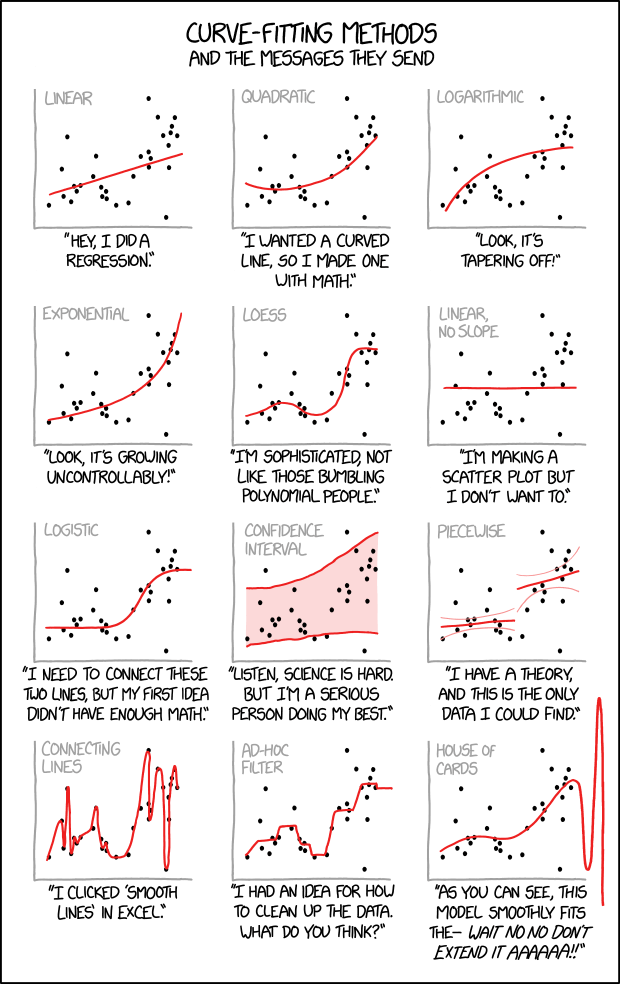
Higher Dimensional interpolation
Much of the machinery for interpolation in 1-dimension can be extended in straightforward ways to higher dimensions. Again, many of these methods are provided by scipy.interpolate but their mechanisms are straightforward to derive.
Here we will consider two relative simple extensions
bi-polynomial (bi-linear) interpolation on a regular mesh
linear interpolation on Triangles